
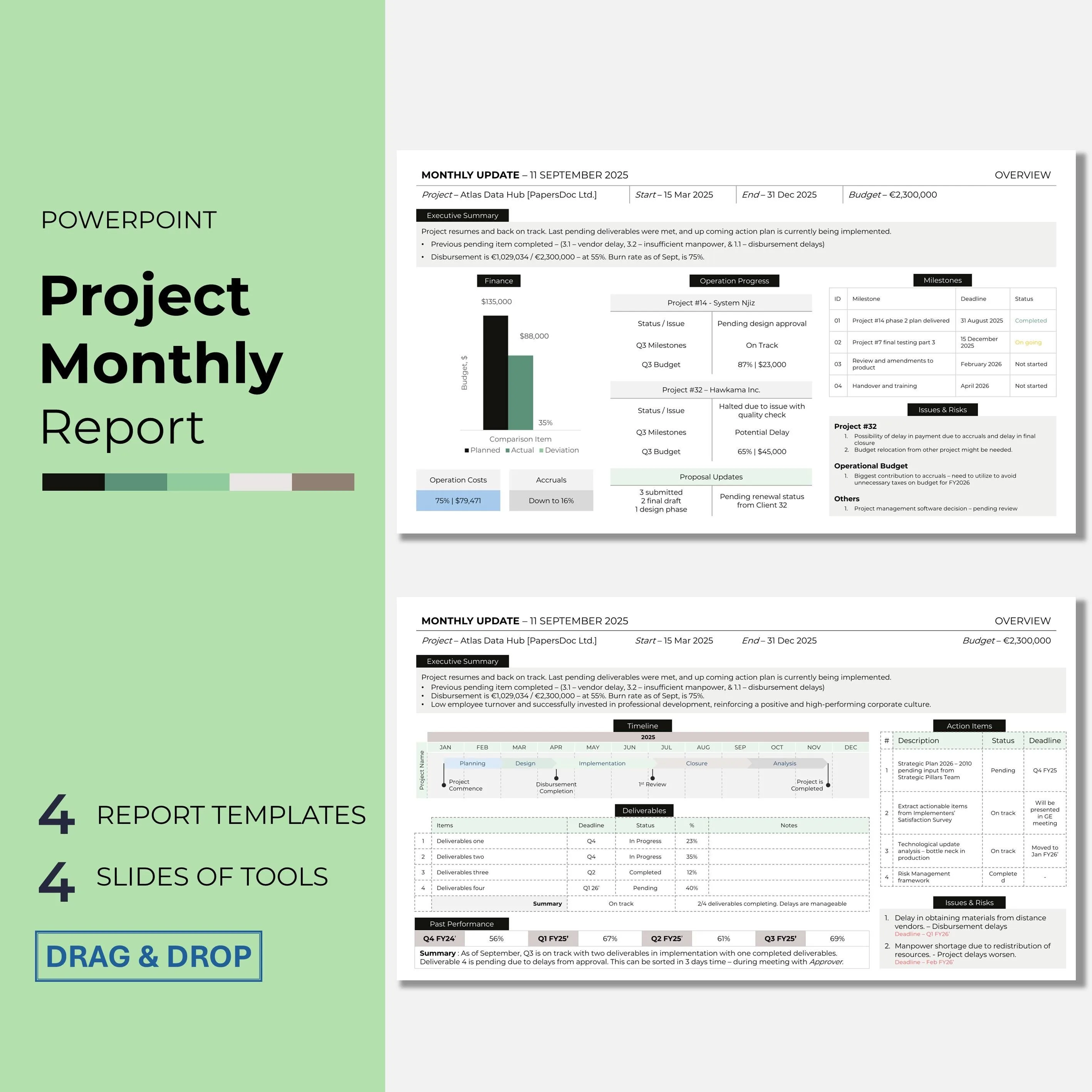
Executives read status reports in a fundamentally different way from other readers. They scan, they decide, they move on. A status report that expects executive attention for more than 90 seconds will not receive it. Most status reports are written for readers who do not exist: attentive, patient, interested in process. The executives who actually read status reports want a decision-ready document, not a journal.
The professionals who write for executives well are often the ones trusted with more work. This guide provides templates and structural discipline for status reports that respect executive time and produce the decisions the writer is actually seeking.
Why Executive Status Reports Demand Different Discipline
Three patterns distinguish executive reading from other reading.
Time constraint. Executives read dozens of reports per week. Each gets 60 to 120 seconds of initial attention. If the first paragraph does not earn more time, the report gets closed.
Decision focus. Executives read for decisions they need to make, not for information they might like to have. Process details, background context, and historical narrative are noise.
Action orientation. Executives want to know what is going well, what is at risk, and what decisions are needed from them. Everything else competes with those three items.
Status reports that ignore these patterns get skimmed and set aside. Status reports that honor them shape decisions and elevate the writer's standing.
"Executives are not disinterested. They are time-constrained. Write as if you have 90 seconds to say the most important thing, because that is what you have." Josh Bernoff, Writing Without Bullshit
The Three-Section Executive Status Report Framework
A strong executive status report has three sections, in this order.
Section 1: Headline and status. One sentence headline plus a one-line status indicator.
Section 2: Material developments. Three to five lines on what has changed or been accomplished, with numbers.
Section 3: Decisions and risks. What the executive needs to know or do.
That is the entire report for most contexts. Typical length: 150 to 250 words. Fits on one screen without scrolling.
Copy-Paste Templates
Template 1: Weekly Executive Status Report
Use this for recurring weekly reports to senior leadership on a project or program.
Subject: [Project or Program] status, week of [Date]

Status: [On track / At risk / Off track]

Headline: [One sentence summary of the single most important thing this week.]

This week:
- [Material development with number]
- [Material development with number]
- [Material development with number]

Risks:
- [Specific risk, owner, mitigation in one line]

Decisions needed from you:
- [Specific decision or no action needed if none]

Next milestone: [Deliverable and date]
Template 2: Monthly Executive Status Report
Use this for monthly reports to boards, executive committees, or senior sponsors.
TO: [Executive name or committee]
FROM: [Your name]
RE: [Program] monthly status, [Month Year]

Status: [On track / At risk / Off track]

Month in one sentence: [Single most important development]

Progress:
- [Key metric with current number versus target]
- [Key metric with current number versus target]
- [Key metric with current number versus target]

Risks and mitigations:
- [Risk 1] / Mitigation: [action, owner, timeline]
- [Risk 2] / Mitigation: [action, owner, timeline]

Decisions requested:
1. [Specific decision with recommended answer]
2. [Specific decision with recommended answer]

Next major milestone: [Date and deliverable]

Supporting detail available on request.
Template 3: Board-Ready Quarterly Status Report
Use this for quarterly board reports, investor updates, or executive committee packets.
[Program] Quarterly Report
[Quarter and Year]

EXECUTIVE SUMMARY
[Three bullet points covering status, progress, and outlook. Maximum 50 words total.]

STATUS: [On track / At risk / Off track]

QUARTER HIGHLIGHTS
- [Achievement with quantified outcome]
- [Achievement with quantified outcome]
- [Achievement with quantified outcome]

METRICS DASHBOARD

| Metric | Q[X] Target | Q[X] Actual | YTD Target | YTD Actual |
|---|---|---|---|---|
| [Metric 1] | $[X] | $[Y] | $[X] | $[Y] |
| [Metric 2] | X% | Y% | X% | Y% |
| [Metric 3] | [target] | [actual] | [target] | [actual] |

KEY RISKS
- [Risk] / Impact: [level] / Mitigation: [action]
- [Risk] / Impact: [level] / Mitigation: [action]

BOARD DECISIONS REQUESTED
1. [Specific decision with recommended answer and rationale]
2. [Specific decision with recommended answer and rationale]

OUTLOOK FOR NEXT QUARTER
[Three lines on next quarter focus and expected milestones.]
Bad Version vs Good Version
Bad:
Subject: Update on the project
Hi team,
I wanted to send out a quick update on where we are with the initiative. We have been working hard over the past week on several different workstreams. The engineering team has been focused on building out the backend infrastructure, which is coming along nicely. They have made good progress on several of the API endpoints and are now moving into the next phase of work.
The design team has been collaborating with product on finalizing the user experience for the new features, and we should have some mockups to review soon. On the marketing side, the team has been working on the go-to-market plan, which is still in draft form but coming together. We did run into some challenges with the vendor integration, but we are working through them. Let me know if anyone has any questions.
Thanks, Alex
Why it fails: No clear status. No numbers. Narrative in paragraph form. Challenges mentioned vaguely without named risk or mitigation. No decisions requested. Asks readers to find the signal themselves.
Good:
Subject: Project Atlas status, week of Oct 14
Status: At risk
Headline: Vendor integration issue adds 8 days to critical path; contingency plan activated.
This week:
- Backend infrastructure: 14 of 22 API endpoints complete (on target)
- Design: mockups for Phase 1 approved by UX council Tuesday
- GTM plan: first draft complete; marketing review scheduled Friday
- Vendor integration: rate limit issue identified, vendor ticket 4421 filed
Risks:
- Vendor response time unknown. Mitigation: Plan B (chunked requests with delays) ready to execute Monday. Adds 4 days if needed. Owner: Priya.
Decisions needed from you:
- Whether to activate Plan B Monday if vendor has not responded by Sunday EOD. Recommended: yes. Needed by Sunday.
Next milestone: Region 2 cutover, Oct 28 (may slip to Nov 1 pending above).
Alex
Why it works: Status label, numbered progress, named risk with named owner and quantified mitigation, specific decision with recommended answer and deadline.
The Status Label Discipline
Executive status reports live or die on the status label. A wrong label at the top causes the rest of the report to be misread.
| Status Label | When to Use | What Executives Infer |
|---|---|---|
| On track | All milestones likely to hit on schedule with budget intact | No attention needed |
| At risk | Specific threat identified, mitigation in progress | Attention warranted |
| Off track | Milestone will slip, budget will exceed, or deliverable compromised | Escalation needed |
| Green, yellow, red | Color-coded version of above | Same pattern, visual form |
| Blocked | Cannot proceed without external action | Immediate action from executive |
| Complete | All committed work delivered | Transition signal |
Use "at risk" earlier than feels comfortable. The cost of a false "on track" label when a project actually slips is trust. The cost of "at risk" when a project recovers is nothing. The asymmetry favors early transparency.
"The status label is your reputation in one word. Inflate it once and you carry the deflation forever." Ann Handley, Everybody Writes
Language Patterns That Work for Executive Readers
| Weak Phrasing | Stronger Phrasing | Why |
|---|---|---|
| Making good progress | Shipped [X] this week, [Y] remaining | Quantified |
| Minor delay | 8-day delay against target | Precise |
| Some challenges | Vendor ticket 4421 pending; Plan B ready | Specific, actionable |
| Working on | Completed [X]; next: [Y] | Past-tense, forward-tense |
| Things are looking good | Progress against milestone X: [specific] | Specific to commitment |
| Team is aligned | [Specific decisions made] this week | Evidence of alignment |
| Will update soon | Next update: [specific date] | Concrete |
| Hopefully | Projected [probability] based on [evidence] | Calibrated |
"Every word in a status report either transfers information or wastes attention. There are no neutral words at 90 seconds." Stephen Pinker, The Sense of Style
Numbers and Dashboards
Executive reports are dramatically improved by numbers. Replace every "progress" phrase with a specific number.
Numbers that signal well:
- Specific percentage complete against plan
- Specific dollar amount spent versus budget
- Specific count of deliverables shipped
- Specific count of customers, users, or accounts
- Specific time remaining to milestone
- Specific probability of on-time delivery
Avoid fake precision. "76.3 percent complete" signals false exactness. "75 percent complete" or "3 of 4 milestones hit" is accurate and clean.
| Metric Type | Example |
|---|---|
| Milestone progress | 3 of 4 Q4 milestones complete |
| Budget | $420K of $500K Q4 budget spent, on plan |
| Customer metrics | 2,400 active users, up 18 percent QoQ |
| Engineering velocity | 58 story points delivered, target 55 |
| Risk exposure | $180K in identified risk; $120K mitigated |
| Timeline | 8 business days behind; 4-day mitigation in place |
| Quality | Defect rate 0.3 percent, SLA is 0.5 percent |
| Resource utilization | 88 percent team utilization, target 85 percent |
Visual Structure for Scanning
Executives scan. Visual structure helps them find signal quickly.
Effective visual conventions:
- Bold the status label
- Use short bullet points, not paragraphs
- Place the most important sentence first in each section
- Use white space generously
- Keep tables small, three to five rows
- Bold key numbers
- Never exceed one screen without scrolling for the core report
Ineffective visual conventions:
- Long paragraphs
- Dense tables with many rows and columns
- Color coding beyond three levels
- Charts requiring interpretation
- Hidden detail in small footnotes
The document design tools at File Converter Free help produce cleanly formatted status reports as PDFs, which matters particularly for reports distributed to external stakeholders or board members.
Cadence and Timing
| Report Type | Cadence | Best Send Time |
|---|---|---|
| Project status | Weekly | Friday morning or Monday morning |
| Program status | Monthly | First Monday of month |
| Board status | Quarterly | 10 days before board meeting |
| Executive committee | Monthly or biweekly | Day before meeting |
| Investor update | Monthly or quarterly | Per investor preference |
| Incident status | Daily or hourly during incident | Real-time |
| Cross-functional initiative | Weekly | Thursday EOD |
| Strategic initiative | Monthly | With additional exception updates |
Consistency matters more than choice. A report that always arrives Friday at 9 AM gets read consistently. A report with erratic timing gets read erratically.
Decisions Section Discipline
The "decisions needed" section is the section executives read first. If your report has no decisions requested, state that explicitly: "No decisions needed this week." Executives respond positively to low-friction weeks.
When decisions are needed, format them for fast processing.
Decisions needed from you:

1. Whether to activate Plan B Monday if vendor has not responded by Sunday EOD.
   Recommended: yes, because [one sentence rationale].
   Needed by: Sunday 9 PM EST.

2. Whether to add a fourth engineer to the team for Q4.
   Recommended: yes, because [one sentence rationale].
   Needed by: Oct 20.
Each decision has three elements: the question, your recommendation, and the deadline. Executives respond to decisions presented this way faster and more consistently than decisions presented any other way.
"The best decision memo gives me the question, your recommendation, and my deadline. Anything less makes me do your work." Roy Peter Clark, Writing Tools
Handling Bad News in an Executive Report
Bad news in an executive report must be surfaced fast. Burying bad news is the fastest way to lose executive trust.
Status: Off track

Headline: Q4 launch will slip from Dec 1 to Dec 15.

Cause: Data integrity issue identified in QA on Oct 14. Fix requires 10 business days.

Impact: Marketing campaign booked Dec 1-8 will need to reschedule. Marketing lead engaged.

Action: Engineering executing fix. Daily standups added. Target fix Nov 25, QA Nov 28, launch Dec 15.

Decision needed from you: Confirmation that Dec 15 launch is acceptable versus exploring Nov 22 with reduced scope.

Next update: Oct 21 with fix status.
The structure: status, cause, impact, action, decision, next update. This template keeps bad news professional and actionable.
Length by Audience
| Audience | Target Length |
|---|---|
| CEO or CFO direct | 100 to 150 words |
| Executive committee | 150 to 250 words |
| Board of directors | 300 to 500 words |
| Investors or external sponsors | 300 to 600 words |
| Internal senior leaders | 200 to 300 words |
| Dotted line stakeholders | 100 to 150 words |
| Full cross-functional team | 400 to 600 words (different audience, different doc) |
Writing the same report for executives and for the full team usually fails both audiences. Consider the three-version pattern: detailed internal version first, executive version by deleting, team version by re-framing.
Tracking Report Effectiveness
Professionals who write many executive reports benefit from tracking their own report performance.
- How many times per month does the executive actually respond within 24 hours?
- How many decisions requested get answered on time?
- How often does an issue you flagged become a problem the executive was surprised by?
These signals reveal whether your reports are landing. A report that no one responds to is usually too long, too dense, or too vague about what it wants.
The productivity frameworks at When Notes Fly cover batching practices for producing consistent weekly reports without draining a full day of writing time, and the certification and career research at Pass4Sure explores how structured reporting skills accelerate promotion trajectories, particularly in IT management roles.
Common Mistakes to Avoid
Do not bury the status label. Put it at the top.
Do not use green-yellow-red colors as the only signal. Executives open reports in email previews that may strip formatting. Include text labels.
Do not include attachments as the main content. Put the report in the body. Attachments are for supporting detail only.
Do not send long reports. Length does not equal thoroughness.
Do not use adjectives without numbers. "Strong quarter" is not a metric.
Do not write in paragraphs when bullets will work.
Do not hide bad news deep in the report.
Do not send on Friday evening. The report arrives late and gets read Monday, often out of context.
Do not make executives hunt for decisions.
Writing Reports That Build Your Reputation
Professionals who write clean executive reports often become known as people who can brief executives well. This reputation compounds. It leads to being invited to more meetings, trusted with more ambiguous problems, and considered for senior roles earlier than peers.
The research on cognitive load at What's Your IQ explains why short, structured reports are processed more reliably than long narrative ones, and why the discipline of one-page executive reports is a skill worth developing deliberately.
"You are always presenting to an executive somewhere. The status report is that presentation, in writing, without the slides. Master it." William Zinsser, On Writing Well
For related communication guidance, see our articles on how to write an executive summary and how to write a project update email.
References
Bernoff, J. (2016). Writing Without Bullshit. Harper Business. https://withoutbullshit.com/book
Handley, A. (2014). Everybody Writes. Wiley. https://annhandley.com/everybodywrites/
Pinker, S. (2014). The Sense of Style. Viking. https://stevenpinker.com/publications/sense-style
Clark, R. P. (2008). Writing Tools: 55 Essential Strategies for Every Writer. Little, Brown. https://www.poynter.org/
Zinsser, W. (2006). On Writing Well. HarperCollins. https://www.harpercollins.com/
Harvard Business Review. How to Write a Status Update That Actually Gets Read. https://hbr.org/
Purdue Online Writing Lab. Business Report Writing. https://owl.purdue.edu/owl/subject_specific_writing/professional_technical_writing/
Chicago Manual of Style. Business Communication Guidelines. https://www.chicagomanualofstyle.org/
Frequently Asked Questions
How do you write a status report for executives?
Use a three-section structure: headline and status, material developments with numbers, and decisions and risks. Keep total length to 150 to 250 words for most contexts. Put the status label at the top, use short bullet points rather than paragraphs, and place the most important sentence first in each section.
Executives read status reports in 60 to 120 seconds. Every word competes for attention.
Replace adjective phrases like making good progress with specific numbers like shipped 14 of 22 endpoints. The discipline of concise specificity is what distinguishes executive-ready reports from narrative updates.
What should an executive status report include?
A clear status label such as on track, at risk, or off track. A one-sentence headline capturing the single most important development. Three to five bullet points of material progress with specific numbers. A risks section naming threats with owners and mitigations.
A decisions section listing specific decisions needed with your recommendation and deadline for response. A next milestone date. Total should fit on one screen without scrolling.
Avoid burying bad news, using vague adjectives, or including extensive background narrative. Executives want decision-ready documents, not journals.
How long should an executive status report be?
Length varies by audience. CEO or CFO direct reports run 100 to 150 words. Executive committee reports run 150 to 250 words. Board reports can reach 300 to 500 words. Investor updates run 300 to 600 words. Internal senior leader reports run 200 to 300 words.
The one consistent rule is that reports should fit on one screen without scrolling for the core content.
Supporting detail belongs in attachments or linked documents, not in the main report. Shorter is almost always better when the content is specific.
When should you use the at risk status label?
Use at risk earlier than feels comfortable. A project labeled at risk in week two that recovers by week four is remembered as well managed. A project labeled on track in week two and off track in week four is remembered as mismanaged.
The cost of a false on track label when a project actually slips is loss of executive trust.
The cost of at risk when a project recovers is nothing. The asymmetry favors early transparency. At risk signals that attention is warranted and mitigation is underway, not that the project has failed.
How should you present decisions needed in a status report?
Each decision should have three elements: the specific question, your recommendation with a one-sentence rationale, and the deadline for response. Format as a numbered list. If no decisions are needed, state that explicitly: no decisions needed this week.
Executives respond to decisions formatted this way faster and more consistently than to open-ended questions. Avoid burying decisions in paragraphs. Avoid presenting multiple options without a recommendation.
Executives want to confirm or adjust a recommendation, not evaluate options from scratch, because evaluation is your job.
How do you report bad news in an executive status report?
Surface bad news in the first line. Explain the cause in one sentence. Describe the impact specifically. State the action being taken and by whom. Give a specific date when more information will be available. State the decision needed from the executive.
Do not apologize unless the cause was specifically your team’s error. Burying bad news is the fastest way to lose executive trust.
The structure keeps bad news professional and actionable, preserving credibility when future reports contain good news. Honesty earlier is easier than honesty later.
How often should you send executive status reports?
Cadence depends on report type. Project status reports are usually weekly, often Friday morning or Monday morning. Program status reports are typically monthly, often the first Monday of the month. Board status reports are quarterly, submitted about ten days before the board meeting.
Executive committee reports are monthly or biweekly, often the day before the relevant meeting. Incident status updates during a crisis may be daily or hourly.
Consistency matters more than cadence choice. A report that always arrives at the same day and time trains executive readers to plan for it.