
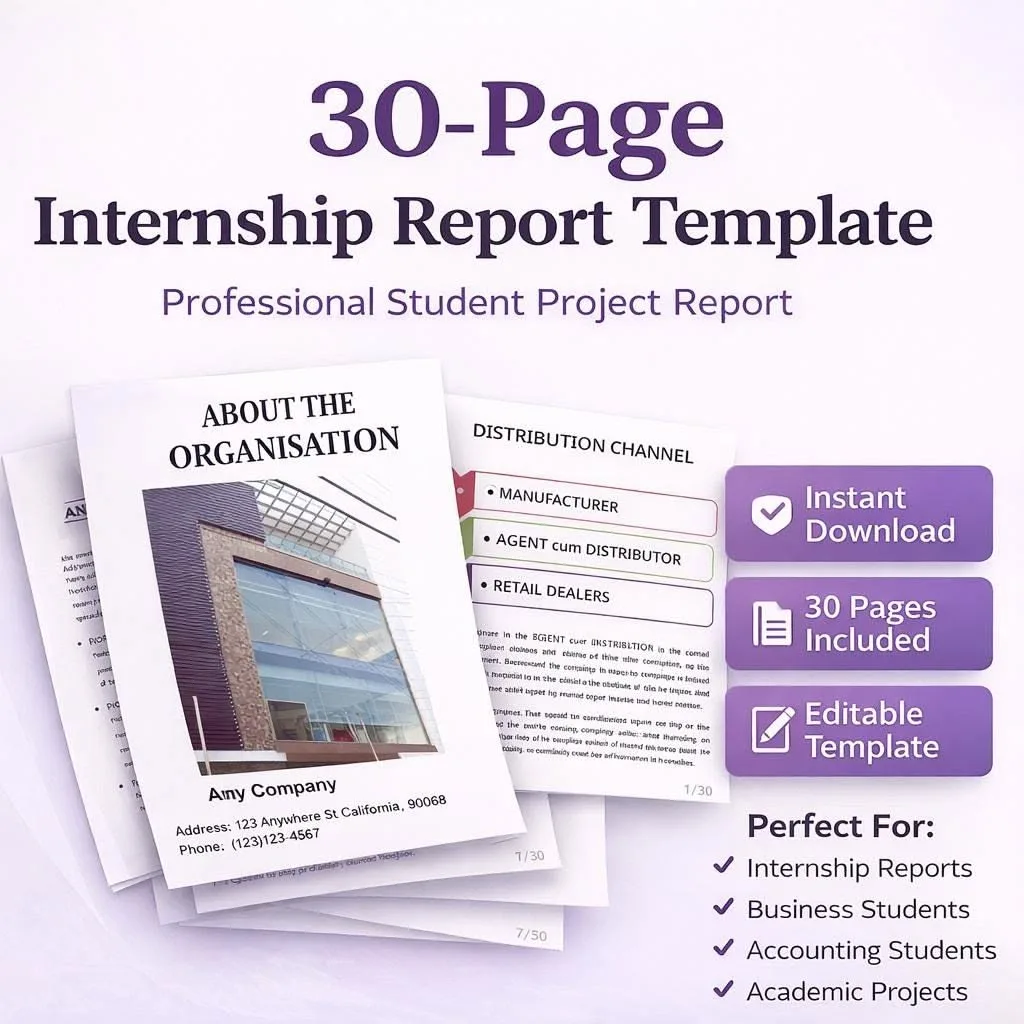
Business reports are the backbone of organizational decision-making, translating raw data, research findings, and operational observations into structured documents that inform strategy and drive action. Whether the report is a quarterly performance review shared with the board of directors or an internal feasibility study evaluating a new market opportunity, the quality of the writing directly affects the quality of the decisions that follow.
This comprehensive guide provides a complete business report template along with detailed guidance on writing each section, formatting standards, data visualization best practices, and real-world examples across multiple report types. Professionals at every level will find practical, immediately applicable advice for producing reports that are clear, credible, and compelling.
Why Business Reports Matter
Business reports serve as the primary vehicle for communicating analysis, findings, and recommendations within and between organizations. They transform complex information into digestible, actionable documents that support decision-making at every level of management.
Reports as Decision-Making Tools
Senior leaders rarely have time to conduct their own research or analyze raw data. They rely on well-written reports to present relevant information in a format that enables informed decisions. A report that is unclear, poorly organized, or lacks credible evidence does not merely waste the reader's time; it risks leading to poor decisions with real financial and operational consequences.
Reports as Organizational Records
Business reports create permanent records of analysis, decisions, and recommendations at specific points in time. These records serve multiple purposes: they document due diligence for compliance and legal purposes, they provide historical context for future planning, and they establish accountability by clearly attributing findings and recommendations to their authors.
Reports as Communication Instruments
Reports communicate across hierarchical levels, departments, and sometimes organizations. A well-structured report ensures that technical specialists, managers, and executives can all extract the information relevant to their roles without misinterpretation. This cross-functional communication capability makes business reports essential to organizational alignment.
The Complete Business Report Template
The following template represents the standard structure for a comprehensive business report. Not every report requires every section; the writer should adapt the template to match the report's purpose, audience, and complexity.
1. Title Page
The title page establishes the report's identity and provides essential reference information at a glance.
Required elements:
- Report title: Clear, specific, and descriptive. Avoid clever or ambiguous titles in favor of precision.
- Subtitle (optional): Provides additional context or specifies the report's scope.
- Author(s): Full names and titles of all contributors.
- Organization/Department: The organizational unit responsible for the report.
- Date: The date the report is finalized and submitted, not the date it was begun.
- Report number or reference code (if applicable): Used in organizations that maintain formal report registries.
- Confidentiality classification (if applicable): Such as "Confidential," "Internal Use Only," or "Public."
Formatting guidance:
- Center all text on the page
- Use a larger font size for the title (16-18pt) and standard size for other elements (12pt)
- Include the company logo if the report will be distributed externally or presented to senior leadership
- Leave ample white space; the title page should not feel crowded
Example Title Page Layout:
[Company Logo]
Annual Market Performance Report Fiscal Year 2025 - North American Division
Prepared by: Catherine Reynolds, Director of Market Analysis James Whitfield, Senior Research Analyst
Strategic Planning Department Issued: January 28, 2026 Report No. SP-2026-004
CONFIDENTIAL - Internal Distribution Only
2. Executive Summary
The executive summary is arguably the most important section of any business report. It condenses the entire document into a brief overview that enables busy readers to grasp the essential findings and recommendations without reading the full report.
What to include:
- Purpose: One to two sentences explaining why the report was written and what question it answers.
- Methodology: A brief statement of how the research or analysis was conducted.
- Key findings: The three to five most important discoveries or conclusions.
- Recommendations: The primary actions being proposed based on the findings.
- Financial implications (if relevant): Any budget, revenue, or cost information critical to decision-making.
Length guidance:
- For reports under 10 pages: Half a page to one page
- For reports of 10-30 pages: One to two pages
- For reports over 30 pages: Two to three pages, but never more than 10 percent of the total report length
Writing tips:
- Write the executive summary last, after all other sections are complete
- Use clear, non-technical language accessible to senior leadership
- Avoid introducing information not contained in the body of the report
- Focus on conclusions and recommendations rather than methodology details
- Every sentence should earn its place; eliminate filler language
Example Executive Summary:
This report evaluates the feasibility of expanding the company's distribution network into the Pacific Northwest region. Analysis of market size, competitive landscape, logistics infrastructure, and financial projections indicates that expansion is viable and strategically advantageous.
The Pacific Northwest market represents an estimated $45 million annual revenue opportunity with projected profitability by the end of year two. Key findings include strong unmet demand in the Portland and Seattle metropolitan areas, manageable competitive pressure from two established regional competitors, and favorable real estate conditions for warehouse facilities.
The report recommends proceeding with a phased expansion beginning with a Portland distribution center in Q3 2026, followed by Seattle in Q1 2027, with a total capital investment of $8.2 million over eighteen months.
3. Table of Contents
The table of contents provides a navigational roadmap for the report, enabling readers to locate specific sections quickly.
Best practices:
- Include all major headings (H2 level) and subheadings (H3 level)
- List page numbers aligned to the right margin
- Use dot leaders (rows of dots) between heading text and page numbers for readability
- Update the table of contents as the final step before submission to ensure accuracy
- For digital reports, make entries clickable hyperlinks
Example Format:
- Executive Summary ....................... 2
- Introduction ............................ 4
- Methodology ............................. 6
- Findings ................................ 8 4.1 Market Analysis ..................... 8 4.2 Competitive Landscape .............. 12 4.3 Financial Projections .............. 15
- Analysis ................................ 18
- Recommendations ......................... 22
- Conclusion .............................. 25
- Appendices .............................. 27
4. Introduction
The introduction sets the stage for the entire report by establishing context, purpose, and scope.
What to include:
- Background: The circumstances, events, or conditions that prompted the report
- Purpose statement: A clear declaration of what the report aims to accomplish
- Scope: What the report covers and, equally important, what it does not cover
- Definitions (if needed): Key terms that readers may not be familiar with
- Structure overview: A brief description of how the report is organized
Writing tips:
- Keep the introduction focused and relatively brief, typically one to three pages
- Avoid presenting findings or conclusions in the introduction; those belong in later sections
- Use the introduction to frame the questions the report will answer
- Establish credibility by briefly noting the qualifications of the research team or the rigor of the methodology
Example Introduction Paragraph:
In September 2025, the Board of Directors requested a comprehensive analysis of expansion opportunities in the Pacific Northwest market following preliminary research indicating significant unmet demand in the region. This report presents the findings of a four-month investigation encompassing market sizing, competitive analysis, logistics assessment, and detailed financial modeling.
The analysis focuses exclusively on the Portland and Seattle metropolitan areas as initial entry points and does not address rural markets or neighboring regions at this stage. All financial projections use conservative assumptions validated against industry benchmarks and historical performance data from comparable market entries conducted by the company between 2020 and 2024.
5. Methodology
The methodology section explains how the research was conducted, enabling readers to assess the credibility and limitations of the findings.
What to include:
- Research approach: Qualitative, quantitative, or mixed methods
- Data sources: Where the information came from (surveys, interviews, databases, public records, internal data)
- Sample size and selection (if applicable): How many respondents or data points were included and how they were chosen
- Analysis methods: Statistical techniques, frameworks, or tools used to analyze the data
- Timeframe: When the research was conducted
- Limitations: Honest acknowledgment of constraints that may affect the findings
Why methodology matters:
Decision-makers need to understand how conclusions were reached in order to trust them. A report that presents findings without explaining the methodology asks readers to accept assertions on faith. Transparency about methods, including their limitations, paradoxically increases credibility by demonstrating intellectual honesty and analytical rigor.
6. Findings
The findings section presents the results of the research or analysis in a factual, objective manner. This section should describe what was discovered without interpreting its significance, which is reserved for the analysis section.
Structure options:
- Thematic organization: Group findings by topic or theme
- Chronological organization: Present findings in the order they were discovered or in the order of events
- Order of importance: Lead with the most significant findings
- Geographic or demographic organization: Group by region, department, or customer segment
Best practices:
- Present data with supporting evidence (numbers, percentages, comparisons)
- Use visual aids (charts, graphs, tables) to illustrate key data points
- Number findings for easy reference in later sections
- Separate facts from opinions; save interpretation for the analysis section
- Include both expected and unexpected findings for completeness
7. Analysis
The analysis section is where the writer interprets the findings and explains their significance in the context of the report's purpose.
What to include:
- Interpretation of findings: What the data means in practical terms
- Patterns and trends: Connections between different findings
- Comparison with benchmarks: How the findings compare to industry standards, historical data, or expectations
- Cause and effect relationships: What factors appear to be driving the observed results
- Implications: What the findings mean for the organization's strategy, operations, or goals
Writing tips:
- Connect each analytical point back to specific findings presented earlier
- Acknowledge alternative interpretations where they exist
- Distinguish between correlation and causation
- Use hedging language appropriately ("the data suggests" rather than "the data proves") when certainty is limited
- Build toward the recommendations by establishing a logical foundation for the proposed actions
8. Recommendations
The recommendations section proposes specific actions based on the analysis. This is often the section that readers care about most after the executive summary.
Characteristics of strong recommendations:
- Specific: State exactly what should be done, by whom, and by when
- Actionable: Recommendations should be realistically implementable with available resources
- Prioritized: Rank recommendations by importance, urgency, or expected impact
- Supported: Each recommendation should be clearly linked to specific findings and analysis
- Measurable: Include criteria for evaluating whether the recommendation was successfully implemented
Format options:
- Numbered list with brief explanations
- Table format with columns for recommendation, responsible party, timeline, and expected outcome
- Tiered approach: "must do," "should do," and "could do" categories
Example Recommendation Format:
Recommendation 1: Establish Portland Distribution Center
- Action: Lease and outfit a 40,000 square foot warehouse facility in the Portland industrial corridor
- Timeline: Site selection by Q2 2026; operational by Q4 2026
- Budget: $4.8 million (capital) plus $1.2 million (annual operating)
- Expected outcome: Service coverage for 85 percent of the Portland metropolitan area within six months of launch
- Success metrics: Monthly order volume exceeding 3,500 units by month six; customer satisfaction score above 4.2/5.0
9. Conclusion
The conclusion ties together the report's findings, analysis, and recommendations into a cohesive closing statement.
What to include:
- Restatement of the report's purpose and scope
- Summary of the most significant findings
- Reinforcement of the primary recommendations
- Statement about next steps or follow-up actions
- Closing thought that reinforces the strategic importance of the report's subject
What to avoid:
- Introducing new information not covered in the body of the report
- Repeating the executive summary verbatim
- Excessive length; the conclusion should be one to two pages at most
- Emotional or promotional language that undermines objectivity
10. Appendices
Appendices contain supporting materials that are too detailed or voluminous for the main body but are necessary for completeness and transparency.
Common appendix materials:
- Raw data tables and detailed statistical analyses
- Survey instruments and interview guides
- Detailed financial models and spreadsheets
- Technical specifications or diagrams
- Glossary of terms
- Reference list or bibliography
- Supporting correspondence or documentation
Best practices:
- Label each appendix clearly (Appendix A, Appendix B, etc.) with a descriptive title
- Reference each appendix at the appropriate point in the main text
- Include only materials that genuinely support the report's content
- Organize appendices in the order they are referenced in the report
Data Visualization Best Practices
Effective data visualization transforms complex information into immediately comprehensible visuals. Choosing the right chart type and following design principles ensures that visuals enhance rather than obscure the report's message.
Choosing the Right Chart Type
Bar charts work best for:
- Comparing values across categories (revenue by department, satisfaction scores by region)
- Showing ranking or relative size
- Displaying data with long category labels (horizontal bars)
Line charts work best for:
- Showing trends over time (monthly revenue, quarterly growth rates)
- Comparing multiple trends on the same timeline
- Highlighting rate of change
Pie charts work best for:
- Showing parts of a whole (market share, budget allocation by category)
- Limited to five to seven segments maximum; more segments become unreadable
- When precise comparison between segments is less important than the overall distribution
Tables work best for:
- Presenting precise numerical data where exact values matter
- Comparing multiple variables across multiple categories simultaneously
- When readers need to look up specific data points
Scatter plots work best for:
- Showing relationships between two variables
- Identifying clusters, outliers, or correlations
- When the data set is too large for other visual formats
Design Principles for Report Visuals
- Every visual needs a title that describes what it shows, not what it is. "Revenue Growth by Quarter, 2023-2025" is better than "Line Chart."
- Label axes clearly with units of measurement.
- Use consistent colors throughout the report. Assign meaning to colors and maintain that meaning across all visuals.
- Eliminate chart junk. Remove gridlines, borders, 3D effects, and decorative elements that do not convey data.
- Cite sources below every visual.
- Provide narrative context. Never insert a chart or graph without a preceding or following paragraph that explains what the reader should observe and why it matters.
Business Report Examples by Type
Annual Report
An annual report provides a comprehensive overview of an organization's performance over the preceding fiscal year.
Typical sections:
- Letter from the CEO or Chairman
- Financial highlights and key performance indicators
- Revenue and profitability analysis
- Operational review by business unit or region
- Strategic initiatives and progress
- Market conditions and industry outlook
- Risk factors and management strategies
- Financial statements (income statement, balance sheet, cash flow statement)
- Corporate governance overview
Writing tips specific to annual reports:
- Balance positive achievements with honest assessment of challenges
- Use visuals extensively to make financial data accessible
- Maintain a forward-looking tone in the narrative sections
- Ensure all financial data is verified and consistent with audited statements
- Consider both internal and external audiences when setting tone and detail level
Market Research Report
A market research report presents the findings of an investigation into a specific market, customer segment, or competitive landscape.
Key sections beyond the standard template:
- Market size and growth projections
- Customer segmentation and persona analysis
- Competitive landscape mapping
- SWOT analysis (Strengths, Weaknesses, Opportunities, Threats)
- Pricing analysis
- Distribution channel assessment
- Regulatory environment overview
Writing tips specific to market research reports:
- Clearly distinguish between primary research (conducted for this report) and secondary research (existing data sources)
- Quantify market opportunities in financial terms whenever possible
- Present competitive intelligence factually without disparaging competitors
- Include confidence intervals or ranges for projections rather than single-point estimates
- Address the "so what" for every data point: what does this mean for the organization's strategy
Feasibility Study
A feasibility study evaluates whether a proposed project, investment, or initiative is viable and advisable.
Key sections beyond the standard template:
- Technical feasibility assessment
- Economic and financial feasibility (NPV, IRR, payback period)
- Operational feasibility (resource requirements, process changes)
- Legal and regulatory feasibility
- Schedule feasibility
- Risk assessment and mitigation strategies
- Alternative options analysis
- Go/no-go recommendation
Writing tips specific to feasibility studies:
- Present alternatives objectively, including the option of doing nothing
- Use sensitivity analysis to show how outcomes change under different assumptions
- Be explicit about assumptions underlying financial projections
- Address risks directly rather than minimizing them; decision-makers need honest assessment
- Include a clear, unambiguous recommendation with supporting rationale
Compliance Report
A compliance report documents an organization's adherence to regulatory requirements, internal policies, or industry standards.
Key sections beyond the standard template:
- Regulatory framework overview
- Compliance assessment methodology
- Findings organized by compliance area
- Non-compliance issues with severity ratings
- Corrective actions taken or recommended
- Timeline for remediation
- Monitoring and ongoing compliance plan
Writing tips specific to compliance reports:
- Use precise, unambiguous language; compliance reporting may have legal implications
- Categorize findings by severity (critical, major, minor, observation)
- Document evidence supporting each finding
- Specify responsible parties for corrective actions with deadlines
- Avoid subjective assessments; base all findings on documented criteria
Formatting Standards for Business Reports
Consistent formatting enhances readability, professionalism, and the overall impression of quality.
Typography
- Body text: 11-12pt in a professional serif font (Times New Roman, Garamond) or sans-serif font (Arial, Calibri)
- Headings: Use a consistent heading hierarchy. H1 for main sections (14-16pt, bold), H2 for subsections (12-14pt, bold), H3 for sub-subsections (11-12pt, bold or italic)
- Line spacing: 1.15 to 1.5 for body text; single spacing for tables and captions
- Paragraph spacing: Add space after paragraphs rather than indenting first lines
Page Layout
- Margins: 1 inch on all sides (1.25 inches on the left if the report will be bound)
- Page numbers: Bottom center or bottom right, starting from the first page after the title page
- Headers/Footers: Include the report title or abbreviated title and the date in the header or footer for easy identification of loose pages
- Section breaks: Start major sections on new pages for reports over 15 pages
Tables and Figures
- Number tables and figures sequentially (Table 1, Table 2; Figure 1, Figure 2)
- Place captions above tables and below figures
- Reference every table and figure in the body text before it appears
- Use consistent formatting across all tables (borders, alignment, shading)
Citations and References
- Cite all external data sources, research studies, and quoted material
- Use a consistent citation style throughout the report
- Include a reference list or bibliography in the appendices
- For internal reports, cite the department or team responsible for the data
The Report Writing Process
Writing an effective business report follows a systematic process that ensures quality and efficiency.
Step 1 - Define the Purpose and Audience
Before writing a single word, clearly articulate what the report needs to accomplish and who will read it. These two factors drive every subsequent decision about content, structure, tone, and level of detail.
Step 2 - Gather and Organize Information
Collect all relevant data, research, and supporting materials. Organize information into logical categories that will eventually become the report's sections. Identify gaps in the available information early so they can be addressed before writing begins.
Step 3 - Create an Outline
Develop a detailed outline that maps the report's structure. The outline should include major sections, subsections, and notes about what each section will cover. Share the outline with stakeholders for feedback before investing time in full drafts.
Step 4 - Write the First Draft
Write the body sections first (methodology, findings, analysis, recommendations), then the introduction and conclusion, and finally the executive summary. This sequence ensures that the summary and framing sections accurately reflect the content of the full report.
Step 5 - Add Visuals and Supporting Elements
Insert charts, graphs, tables, and other visual elements. Ensure each visual is properly labeled, referenced in the text, and accompanied by explanatory narrative.
Step 6 - Review and Revise
Review the draft for logical flow, factual accuracy, clarity, and tone. Check that recommendations are fully supported by the presented evidence. Verify all numerical data and calculations. Have at least one colleague review the report before finalization.
Step 7 - Format and Finalize
Apply consistent formatting, generate the table of contents, check page numbers, and perform a final proofread. Convert to the required file format and distribute according to organizational protocols.
Common Business Report Mistakes
Unsupported Recommendations
Recommendations that appear to come from nowhere undermine the entire report. Every recommendation should be traceable back through the analysis to specific findings. If the logical chain from data to recommendation is not clear, the reader has no reason to trust the proposed action.
Data Overload
Including every piece of available data does not make a report more credible; it makes it less readable. Select data points that directly support the report's purpose and place detailed datasets in appendices. The body of the report should contain interpreted, contextualized data rather than raw numbers.
Inconsistent Formatting
Mixing font sizes, heading styles, or chart formats within a single report creates a disjointed, unprofessional impression. Establish formatting standards before writing begins and apply them consistently throughout. Use templates when available.
Ignoring the Audience
A report written for the CFO should emphasize financial metrics and business impact. The same topic written for the engineering team should emphasize technical details and implementation considerations. Failing to tailor the report to its audience results in a document that fully satisfies no one.
Lack of Objectivity
Business reports should present findings objectively, even when the writer has strong opinions about the recommended course of action. Present evidence that both supports and challenges the preferred option. Acknowledge limitations and uncertainties. Decision-makers trust reports that demonstrate balanced analysis more than those that read like advocacy documents.
Writing for Different Audiences
One of the most challenging aspects of business report writing is adapting content for readers with different levels of expertise, different priorities, and different decision-making roles. A single report may be read by technical specialists, middle managers, and C-suite executives, each of whom needs different information presented in different ways.
Writing for Executives
Executives typically want to know three things: what is the situation, what should we do, and what will it cost. They rarely have time to read full reports and rely heavily on executive summaries, recommendations sections, and financial data. When writing for an executive audience:
- Lead with conclusions and recommendations, not methodology
- Present financial data prominently with clear ROI calculations
- Use simple, direct language free of technical jargon
- Keep the main body focused on strategic implications rather than operational details
- Place detailed technical information in appendices for those who want it
Writing for Technical Specialists
Technical readers want to understand the methodology, evaluate the data quality, and assess whether the conclusions are scientifically sound. When writing for a technical audience:
- Provide detailed methodology descriptions including statistical approaches
- Include raw data or detailed data tables in appendices
- Use precise technical terminology appropriate to the discipline
- Show your analytical work so readers can verify conclusions independently
- Address limitations and potential confounding factors explicitly
Writing for Mixed Audiences
Most business reports serve mixed audiences. The solution is a layered approach:
- Executive summary serves the time-pressed reader who needs the highlights
- Main body serves the manager who needs enough detail to implement recommendations
- Appendices serve the specialist who needs to evaluate methodology and data
This layered structure ensures every reader can extract the information relevant to their role without wading through content designed for other audience segments.
Collaborative Report Writing
Many business reports are produced by teams rather than individuals, which introduces coordination challenges that can undermine quality if not managed effectively.
Establishing Style Consistency
When multiple authors contribute sections, stylistic inconsistency is the most common problem. Address this proactively:
- Create a style guide before writing begins, specifying font, heading formats, citation style, terminology preferences, and tone
- Designate one editor responsible for reviewing the complete draft and harmonizing voice and style across sections
- Use templates with pre-set formatting to prevent contributors from making individual formatting decisions
Managing the Review Process
Effective review processes prevent the endless revision cycles that plague collaborative reports:
- Establish a review schedule with specific deadlines for drafts, reviews, and revisions
- Assign clear review roles distinguishing between content reviewers (who evaluate accuracy and completeness) and editorial reviewers (who evaluate clarity and style)
- Use track changes so all modifications are visible and attributable
- Limit review rounds to two or three; beyond that, diminishing returns set in
Version Control
Maintain a clear version control system to prevent confusion about which draft is current:
- Use consistent file naming conventions that include version numbers and dates
- Maintain a single master document that only the designated editor modifies
- Archive previous versions rather than overwriting them
- Communicate clearly when a new version is distributed for review
Digital vs. Print Reports
The medium in which a report will be consumed affects formatting, design, and structure decisions.
Optimizing for Digital Reading
Digital reports read on screens benefit from:
- Shorter paragraphs since screen reading is more fatiguing than print reading
- Hyperlinked table of contents and cross-references for easy navigation
- Interactive charts when the platform supports them
- Wider margins and larger fonts to reduce eye strain
- PDF format for distribution to preserve formatting across different devices
Optimizing for Print
Printed reports should consider:
- Binding margins with extra space on the left side for bound documents
- Color vs. grayscale since color printing is expensive; ensure charts are readable in grayscale if print copies may be made in black and white
- Paper quality for external reports that represent the organization to clients or regulators
- Double-sided printing to reduce bulk while maintaining readability
Report Writing Tools and Software
Modern professionals have access to tools that streamline every phase of the report writing process.
Writing and Formatting
- Microsoft Word remains the standard for business report creation, offering robust formatting, table of contents generation, and collaboration features
- Google Docs excels for collaborative writing with real-time editing and commenting
- LaTeX is preferred in academic and technical contexts for its superior handling of equations, citations, and complex formatting
Data Visualization
- Microsoft Excel for standard charts, tables, and basic data analysis
- Tableau or Power BI for interactive dashboards and advanced data visualization
- Canva for polished infographics that simplify complex data for non-technical readers
Project Management
- Trello or Asana for managing the report production workflow across team members
- SharePoint or Google Drive for centralized document storage and version management
Quality Assurance
- Grammar and style checkers for catching errors and improving readability
- Citation managers such as Zotero or Mendeley for academic and research reports
- Accessibility checkers to ensure reports meet organizational accessibility standards
Industry-Specific Report Considerations
Different industries have distinct reporting conventions, regulatory requirements, and audience expectations that influence report structure and content.
Financial Services
Reports in financial services must adhere to strict regulatory standards. Accuracy is paramount because errors can trigger compliance violations, legal liability, or misguided investment decisions. Key considerations include:
- Regulatory disclosures required by governing bodies must be prominently displayed
- Audited financial data must be clearly distinguished from unaudited projections
- Risk disclaimers appropriate to the type of report and audience
- Confidentiality classifications that comply with information security policies
Healthcare
Healthcare industry reports often involve patient data, clinical outcomes, and regulatory compliance. Writers must balance thorough reporting with privacy protections:
- HIPAA compliance governs how patient information can be presented and distributed
- Statistical rigor is expected in reports involving clinical data or outcomes analysis
- Peer review is standard practice for reports that inform clinical decision-making
- Plain language summaries may be required alongside technical reports for patient-facing communications
Technology
Technology industry reports often target audiences with varying levels of technical expertise. Effective technology reports:
- Layer technical detail so non-technical executives can understand the business implications while engineers can evaluate the technical approach
- Include architecture diagrams and system flowcharts where relevant
- Address security and compliance implications of technology decisions
- Quantify performance improvements with measurable benchmarks
Manufacturing
Manufacturing reports frequently focus on operational efficiency, quality metrics, and production data:
- Process flow diagrams help readers understand production workflows
- Statistical process control data demonstrates quality performance
- Safety metrics are often mandatory reporting requirements
- Lean and Six Sigma terminology is standard in many manufacturing contexts
Report Distribution and Presentation
How a report is delivered affects its impact and readability.
Distribution Methods
- Email with PDF attachment is the most common method for routine reports. Use PDF format to preserve formatting across different devices and operating systems.
- Shared drives or document management systems provide centralized access and version control for reports that multiple stakeholders need to reference over time.
- Printed copies remain appropriate for board meetings, regulatory submissions, and formal presentations where physical documents carry additional weight.
- Executive dashboards can supplement full reports by providing real-time access to key metrics and interactive data exploration.
Presenting Report Findings
Many reports are accompanied by an oral presentation to stakeholders. Effective report presentations:
- Focus on key findings and recommendations rather than walking through every section sequentially
- Use visual aids from the report, enlarged and simplified for projection
- Allocate time for questions since the discussion often generates more value than the presentation itself
- Distribute the full report before or after the presentation so attendees can review details at their own pace
- Prepare a one-page summary handout for attendees who want key takeaways without reading the full document
Final Thoughts on Business Report Writing
The ability to write clear, well-structured business reports is a career-defining skill that separates professionals who inform decisions from those who merely participate in them. A strong report does not just present information; it organizes complexity into clarity, connects evidence to action, and gives decision-makers the confidence to move forward.
The template and guidance in this article provide a foundation that applies across industries, report types, and organizational contexts. The specific sections, level of detail, and formatting should be adapted to match each report's unique requirements. What should remain constant is the commitment to accuracy, clarity, logical organization, and reader-focused communication.
Every report is an opportunity to demonstrate analytical capability, communication skill, and professional judgment. Invest the time to do it well, and the document becomes not just a deliverable but a demonstration of the expertise and thoroughness that produced it.
Frequently Asked Questions
What is the most important section of a business report?
The executive summary is widely considered the most important section of any business report because it is often the only part that senior decision-makers read in full.
This section condenses the entire report into a brief overview, typically one to two pages, that covers the purpose, methodology, key findings, and primary recommendations. A well-written executive summary enables busy executives to grasp the essential information and make informed decisions without reading the complete document.
It should be written last, after all other sections are finalized, to ensure accuracy and completeness. Despite its placement at the beginning of the report, crafting it as the final step ensures it faithfully represents the full body of research and analysis.
How do you present data effectively in a business report?
Effective data presentation in business reports combines clear visuals with concise narrative interpretation. Use charts and graphs to illustrate trends, comparisons, and distributions rather than embedding raw numbers in paragraphs.
Bar charts work best for comparisons between categories, line charts for trends over time, and pie charts for proportional breakdowns of a whole. Every visual should include a descriptive title, labeled axes, a legend if applicable, and a source citation.
Accompany each visual with a brief paragraph explaining what the data reveals and why it matters to the report’s conclusions. Avoid cluttering visuals with excessive data points or decorative elements that distract from the message. Place detailed data tables in appendices and reference them from the main text.
How long should a business report be?
The appropriate length of a business report depends entirely on its purpose, audience, and complexity. A brief status update or progress report might span three to five pages, while a comprehensive annual report or feasibility study could extend to fifty pages or more including appendices.
The guiding principle is completeness without redundancy: include everything the reader needs to understand the situation and make informed decisions, but eliminate repetition, tangential information, and unnecessary detail.
Most standard business reports fall between ten and twenty-five pages. If the report exceeds thirty pages, ensure strong organizational structure with a detailed table of contents, clear section headings, and a robust executive summary to help readers navigate efficiently.