
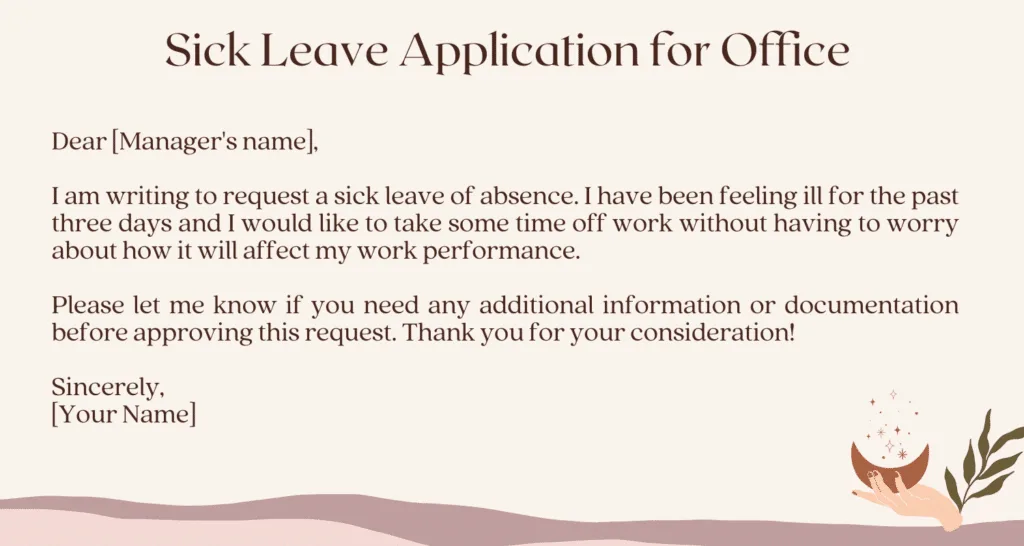
Notifying your manager about a sick day should be straightforward, but many professionals overthink the process. You want to communicate clearly without oversharing personal health details, maintain professionalism while genuinely unwell, and ensure your responsibilities are covered during your absence.
Whether you are dealing with a sudden illness, a planned medical procedure, or a family health emergency, having a ready-to-use template eliminates the stress of composing an email when you are least equipped to do so. This guide provides eight professional sick leave email templates covering the most common scenarios, along with expert guidance on what to include, what to leave out, and how to handle the documentation side of medical absences.
What Every Sick Leave Email Must Include
Before diving into specific templates, understand the five essential components of an effective sick leave notification. Missing any of these creates confusion and may delay approval.
The Five Core Elements
1. Clear subject line. Your manager should understand the nature of your email before opening it. Use direct subject lines like "Sick Day - [Your Name] - [Date]" or "Medical Absence Notification - [Date]."
2. The date or dates of your absence. Be specific. "I will be out today" is better than vague language, but "I will be out today, Tuesday, March 18" eliminates any ambiguity about which day you mean.
3. Brief reason without excessive detail. A general statement is sufficient. "I am not feeling well" or "I have a medical appointment" provides enough context. You do not need to describe symptoms, share diagnoses, or justify your illness.
4. Work coverage plan. Demonstrate responsibility by addressing how your critical tasks will be handled. Mention if you have delegated urgent items, if anything can wait until your return, or if someone is covering for you.
5. Your availability status. Let your manager know whether you will be completely offline, intermittently checking email, or available for genuine emergencies only.
What NOT to Include in Your Sick Leave Email
Many employees make the mistake of over-explaining their illness in an attempt to seem credible. This is unnecessary and can create awkward situations.
Do not describe symptoms in detail. Your manager does not need to know about your gastrointestinal distress, fever readings, or the color of anything. "I am unwell" is sufficient.
Do not preemptively apologize excessively. One brief expression of regret for the inconvenience is professional. Repeated apologies suggest you feel guilty about using a benefit you are entitled to.
Do not promise to make up hours. Unless your company has a specific policy requiring this, volunteering to work extra hours when you recover sets an unhealthy precedent.
Do not include medical documentation in the initial email. If your company requires a doctor's note, provide it upon your return. Do not attach medical records to an email unless specifically requested and directed to do so through secure channels.
Do not badmouth company sick leave policy. Even if you feel the policy is inadequate, your sick day notification is not the appropriate venue for that feedback.
Template 1 - Same-Day Sick Leave (Waking Up Ill)
This is the most common scenario. You wake up feeling terrible and need to notify your manager before the workday begins. Send this email as early as possible, ideally before your normal start time.
When to Use This Template
Use this when you wake up with an illness that prevents you from working, whether that is a stomach bug, migraine, cold, flu, or any condition that impairs your ability to perform your duties.
The Template
Subject: Sick Day - [Your Name] - [Today's Date]
Dear [Manager's Name],
I am writing to let you know that I am not feeling well this morning and will need to take a sick day today, [day and date].
I have reviewed my calendar and do not have any meetings that cannot be rescheduled. [OR: I have a meeting with [person/team] at [time] that I will need someone to cover. I have already reached out to [colleague's name] about stepping in, and they have confirmed they can attend.]
[If applicable: The [project/report/deliverable] that is due today has been completed and is saved in [location]. / I will complete the [deliverable] as soon as I return.]
I will be monitoring email intermittently in case anything urgent comes up, but my response times may be slower than usual. [OR: I will be offline for the day to rest and recover.]
I expect to return to work tomorrow, but I will send an update this evening if anything changes.
Thank you for understanding.
Best regards, [Your Name]
Key Points About This Template
This template works because it is concise and action-oriented. It tells your manager what they need to know: you are out, here is the impact on work, and here is when you expect to be back. The tone is professional without being overly formal, and it avoids the common trap of over-explaining the illness.
Template 2 - Planned Medical Absence (Scheduled Appointment or Procedure)
When you know in advance that you will need time off for a medical reason, notifying your manager early shows professionalism and allows for proper planning.
When to Use This Template
Use this for scheduled doctor appointments, medical procedures, specialist consultations, or any planned medical event that requires you to miss part or all of a workday.
The Template
Subject: Planned Medical Absence - [Your Name] - [Date]
Dear [Manager's Name],
I am writing to let you know that I have a medical appointment scheduled for [date] and will need to be out of the office [for the full day / from [time] to [time]].
I wanted to give you advance notice so we can plan accordingly. Here is how I plan to handle my responsibilities during my absence:
- [Task/project 1]: Completed ahead of schedule and submitted to [person/location].
- [Task/project 2]: [Colleague's name] has agreed to handle any urgent requests related to this.
- [Meeting/commitment]: I have rescheduled this to [new date/time] with all participants confirmed.
I will be available by email before [time] on the day of my appointment and will resume normal work [the following morning / after [time]].
Please let me know if you need me to arrange any additional coverage or if there are concerns about the timing.
Thank you, [Your Name]
Key Points About This Template
Advance notice transforms this from a disruption into a planned event. By presenting solutions alongside the notification, you demonstrate ownership of your responsibilities. Note that you do not need to specify what type of medical appointment it is.
Template 3 - Extended Medical Leave (Multiple Days or Weeks)
Extended medical leave requires more detail about coverage and communication plans. This template is appropriate when you know you will be out for more than two consecutive days.
When to Use This Template
Use this for recovery from surgery, treatment that requires multiple days away, or any medical situation where you will miss three or more consecutive workdays.
The Template
Subject: Medical Leave Request - [Your Name] - [Start Date] to [Estimated End Date]
Dear [Manager's Name],
I am writing to inform you that I will need to take medical leave beginning [start date], with an expected return date of [date]. I understand this may require coordination, and I want to ensure a smooth transition of my responsibilities during my absence.
Coverage plan for my ongoing responsibilities:
- [Primary responsibility 1]: I recommend [colleague's name] handle this. I have prepared a handoff document located in [shared drive/folder location] with all relevant context, deadlines, and contact information.
- [Primary responsibility 2]: This can be paused until my return without significant impact. I have communicated the temporary hold to [relevant stakeholders].
- [Primary responsibility 3]: [Colleague's name] has agreed to serve as the point of contact for [client/department]. I will introduce them via email before my leave begins.
Communication during my absence:
I will be largely unavailable during this period. For urgent matters, please contact [backup person's name and contact information]. I will provide updates on my expected return date as my recovery progresses.
Documentation:
I will work with HR to complete any required medical leave paperwork. Please let me know if there is anything additional you need from me before [start date].
I appreciate your understanding and support.
Sincerely, [Your Name]
Key Points About This Template
Extended leave emails should be more detailed because the impact on the team is greater. The coverage plan with specific names and handoff documents shows that you have thought through the disruption. CC your HR department if your company policy requires it.
Template 4 - Mental Health Day
Mental health is increasingly recognized as a legitimate reason for taking sick leave. However, many professionals still feel uncomfortable being direct about it. This template offers two approaches: one that names mental health directly and one that keeps the reason general.
When to Use This Template
Use this when you need a day to address mental health, burnout, overwhelming stress, or emotional exhaustion that impairs your ability to work effectively.
The Template (Direct Approach)
Subject: Sick Day - [Your Name] - [Date]
Dear [Manager's Name],
I am writing to let you know that I need to take a sick day today to take care of my mental health. I have been managing a period of heightened stress, and taking a day to recharge will allow me to return at full capacity.
I have checked my calendar and have no critical meetings or deadlines today. [OR: I have rescheduled my [time] meeting with [person] to [new date/time] and have asked [colleague] to cover the [task].]
I will be back in the office tomorrow and will catch up on any missed items first thing.
Thank you for understanding.
Best, [Your Name]
The Template (General Approach)
Subject: Sick Day - [Your Name] - [Date]
Dear [Manager's Name],
I am not feeling well today and will need to take a sick day. I do not have any urgent deadlines or meetings that cannot wait until tomorrow.
I will be offline for the day and plan to return tomorrow at my regular time.
Thank you, [Your Name]
Key Points About These Templates
You are never obligated to disclose that your sick day is for mental health reasons. The general approach is perfectly acceptable in every professional context. If you do choose the direct approach, keep it brief and professional. You do not need to explain what is causing your stress or provide a justification for why you need the day. A good manager will treat this the same as any other sick day.
Template 5 - Family Emergency
Family emergencies are unpredictable and often require immediate attention. This template is designed for situations where a family member's health crisis requires you to step away from work.
When to Use This Template
Use this when a family member has a medical emergency, is hospitalized, or requires your immediate caregiving support.
The Template
Subject: Urgent - Family Emergency Absence - [Your Name]
Dear [Manager's Name],
I am writing to let you know that I need to take an immediate leave of absence due to a family emergency. A close family member requires urgent medical attention, and I need to be with them.
At this point, I am unsure how long I will need to be away. I will keep you updated as the situation develops and provide a more definitive timeline as soon as I can.
For the immediate term:
- [Colleague's name] is aware of my situation and can serve as the point of contact for [project/client].
- My current deliverables are [status - e.g., on track, and the next deadline is not until (date)].
- I will set up an out-of-office auto-reply directing urgent messages to [colleague's email].
I understand this is sudden, and I apologize for any inconvenience. I will stay in touch as I am able and will work with HR regarding any required paperwork.
Thank you for your understanding during this difficult time.
[Your Name]
Key Points About This Template
Family emergencies do not afford the luxury of detailed planning. This template acknowledges the uncertainty while providing what information you can. The "urgent" flag in the subject line is appropriate here, as this genuinely qualifies as an urgent situation. Follow up within 24 to 48 hours with an update on your expected return.
Template 6 - Child Illness (Parent Taking Care of Sick Child)
Parents frequently need to stay home with sick children. This template addresses the situation professionally while acknowledging your dual role.
When to Use This Template
Use this when your child is too ill to attend school or daycare and you need to stay home as their caregiver. This also applies to situations where school or daycare is closed due to illness outbreaks.
The Template
Subject: Working from Home / Out Today - Child Illness - [Your Name]
Dear [Manager's Name],
I am writing to let you know that my child is ill today and cannot attend [school/daycare]. I will need to [stay home to care for them / work from home today with limited availability].
If working from home with limited availability:
I plan to work during [child's nap times / morning hours / specific windows] and will be responsive to emails and messages during those periods. I may have delayed responses outside of those windows. I can handle [list tasks you can complete] but may need to reschedule [meeting/task that requires uninterrupted focus].
If taking the full day off:
I will be out for the full day and will not be available for work. I have reviewed my schedule and [addressed/rescheduled/delegated] the following:
- [Item 1]
- [Item 2]
- [Item 3]
I expect to be back [tomorrow / when I have a better sense of recovery timeline, I will update you].
Thank you for your flexibility.
Best, [Your Name]
Key Points About This Template
This template offers two paths because parenting situations vary. Sometimes you can work while a child sleeps or watches a show. Other times, the child needs constant attention. Be realistic about your availability rather than overcommitting and underdelivering. Many companies offer dependent care leave or flexible work arrangements for these situations.
Template 7 - Doctor Appointment (Partial Day Absence)
Routine medical appointments often require only a few hours away from work. This template is designed for partial-day absences.
When to Use This Template
Use this for routine checkups, dental appointments, specialist visits, therapy appointments, or any medical appointment that requires a few hours rather than a full day.
The Template
Subject: Partial Day Absence - Doctor Appointment - [Date] - [Your Name]
Dear [Manager's Name],
I have a medical appointment on [date] and will need to be away from [start time] to approximately [end time]. I plan to [work my regular hours before and after the appointment / start the day early to make up the time / use sick leave for those hours].
I have checked my calendar for that time block:
- No meetings are scheduled during that window. [OR: I have moved my [time] meeting with [person/team] to [new time]. All attendees have confirmed.]
- I will complete [any time-sensitive tasks] before leaving for my appointment.
- I will be reachable by phone for anything urgent during my commute to and from the appointment but will be unavailable during the appointment itself, approximately [duration].
Please let me know if this timing presents any issues.
Thank you, [Your Name]
Key Points About This Template
Partial-day absences are generally easier to manage but still deserve proper notification. Providing the specific time window helps your manager and colleagues plan around your absence. Offering to adjust your schedule demonstrates flexibility and consideration for team needs.
Template 8 - COVID or Infectious Illness
Infectious illnesses require special consideration because they involve potential workplace health implications. This template addresses the unique aspects of communicable disease situations.
When to Use This Template
Use this when you have tested positive for COVID-19, influenza, or another contagious illness, or when you are experiencing symptoms that could indicate a communicable disease.
The Template
Subject: Illness Notification - [Your Name] - Will Be Working Remotely / Out Sick
Dear [Manager's Name],
I am writing to inform you that I have [tested positive for COVID-19 / developed symptoms consistent with [illness] / been advised by my doctor to self-isolate]. In accordance with [company health policy / CDC guidelines / local health regulations], I will be [working from home / taking sick leave] for the next [estimated number] days.
If working from home:
I feel well enough to work remotely and will maintain my regular schedule. My deliverables and availability will not be affected. I will continue to attend meetings virtually and remain responsive through all regular communication channels.
If taking sick leave:
I will be out of the office and largely unavailable. Here is the status of my current work:
- [Project/task 1]: [Status and who can cover]
- [Project/task 2]: [Status and who can cover]
- [Regular responsibility]: [Backup plan]
Potential workplace exposure:
[If applicable: I was last in the office on [date]. I wanted to flag this so that any necessary protocols can be followed. / I have been working remotely and have had no in-person contact with colleagues.]
I will follow [company name]'s return-to-work policy and provide any required documentation, such as a negative test or doctor's clearance, before returning to the office.
I will keep you updated on my status and expected return date.
Thank you, [Your Name]
Key Points About This Template
Infectious illness emails have an additional layer of responsibility because they potentially affect colleagues' health. Mentioning your last date in the office is a professional courtesy that allows the company to take appropriate precautions. Always defer to your company's specific health policy, which may have been updated since the COVID-19 pandemic.
Understanding Your Rights and Company Policy
Before you need to send a sick leave email, take time to understand the policies and legal protections that apply to your situation. This preparation reduces anxiety and ensures you handle absences correctly.
Know Your Company's Sick Leave Policy
Every employee should be familiar with the following details from their employee handbook or HR documentation:
Accrued sick leave balance. Know how many sick days you have available and how they accrue. Some companies front-load annual sick time, while others accrue it per pay period.
Notification requirements. Your company may require notification within a specific window, such as one hour before your shift starts. Some companies require phone calls rather than emails for same-day absences.
Documentation thresholds. Most companies require a doctor's note after a specific number of consecutive sick days, typically three. Know your company's threshold so you can plan accordingly.
Paid versus unpaid sick leave. Understand which category your absence falls into and whether there are different policies for short-term versus extended absences.
FMLA eligibility. If you work for a company with 50 or more employees and have been employed for at least 12 months, you may be eligible for up to 12 weeks of unpaid, job-protected leave under the Family and Medical Leave Act for serious health conditions.
State and Local Sick Leave Laws
Many states and municipalities have enacted mandatory paid sick leave laws that may provide protections beyond your company's policy. As of recent years, states including California, New York, New Jersey, Oregon, Washington, and many others require employers to provide paid sick leave. City-level ordinances add additional protections in many metropolitan areas. Check your state and local labor department websites for the most current requirements.
What Your Employer Cannot Legally Do
Understanding your protections helps you communicate confidently:
- They cannot require you to disclose your specific diagnosis in most jurisdictions for short-term absences.
- They cannot retaliate against you for using accrued sick leave in states with paid sick leave laws.
- They cannot require you to find your own replacement as a condition of approving sick leave in most cases.
- They cannot deny FMLA-qualifying leave if you meet the eligibility requirements.
- They cannot contact your doctor directly without your written authorization.
Tips for Sending Sick Leave Emails Effectively
Timing Matters
Send your sick leave email as early as possible. For same-day absences, aim to notify your manager at least 30 minutes before your regular start time. If you wake up in the middle of the night feeling terrible, it is perfectly acceptable to send the email at that hour. Your manager will see it when they check their messages in the morning, and the early timestamp demonstrates that you were genuinely unwell, not just deciding to sleep in.
Use Multiple Channels When Appropriate
For time-sensitive situations, do not rely solely on email. If your manager might not check email before a morning meeting you were supposed to attend, send a quick text or Slack message in addition to the email. The email serves as the formal record, while the instant message ensures timely notification.
Keep Records
Save copies of all sick leave communications, including any responses from your manager. If you ever need to reference your absence history, having organized records is invaluable. This is especially important if you are dealing with a chronic condition that may require intermittent leave.
Plan Ahead When Possible
If you have a chronic condition or ongoing medical treatment, consider having a standing conversation with your manager about how to handle anticipated absences. A proactive discussion reduces the friction of individual notifications and demonstrates that you are managing your situation responsibly.
Set Up Templates in Advance
The worst time to compose a professional email is when you are genuinely unwell. Save these templates in your drafts folder, notes app, or email signature templates so you can fill in the details quickly when needed. A two-minute task when you are healthy becomes a twenty-minute ordeal when you have a migraine.
Returning to Work After Sick Leave
The Return Email
For absences of more than one day, sending a brief return email is a professional touch that many employees overlook.
Subject: Back in the Office - [Your Name]
Dear [Manager's Name],
I wanted to let you know that I am back at work today and feeling much better. Thank you for your understanding during my absence.
I am reviewing everything I missed and will be caught up by [end of today / end of tomorrow]. I will follow up with [colleague who covered] to ensure a smooth handoff of anything they handled while I was out.
Please let me know if there is anything that needs my immediate attention.
Thank you, [Your Name]
Catching Up Strategically
When you return from sick leave, resist the urge to immediately respond to every email in chronological order. Instead, start with your most recent messages and work backward. Many issues that seemed urgent three days ago have already been resolved. Focus on items that still require your input and acknowledge anyone who covered for you with a brief thank-you message.
Submitting Documentation
If your absence triggered a documentation requirement, submit your doctor's note or other paperwork to HR promptly upon your return. Do not wait for them to ask, as proactive submission demonstrates responsibility and closes the administrative loop quickly. Keep a personal copy of any documentation you submit.
Sample Subject Lines for Every Situation
Choosing the right subject line ensures your email is noticed, understood, and processed correctly. Here are recommended subject lines for each template type.
For Same-Day Sick Leave
- Sick Day - [Your Name] - [Date]
- Out Sick Today - [Your Name]
- [Your Name] - Sick Day Notification - [Date]
For Planned Medical Absence
- Planned Medical Absence - [Your Name] - [Date]
- Medical Appointment - [Your Name] - [Date] - Partial Day
- Upcoming Medical Leave - [Your Name] - [Date Range]
For Extended Medical Leave
- Medical Leave Request - [Your Name] - [Start Date] to [End Date]
- Extended Absence Notification - [Your Name]
- Medical Leave - [Your Name] - Coverage Plan Attached
For Family Emergencies
- Urgent - Family Emergency - [Your Name]
- Emergency Absence - [Your Name] - Effective Immediately
- [Your Name] - Family Emergency - Immediate Leave Required
For Infectious Illness
- Illness Notification - [Your Name] - Working Remotely
- COVID Notification - [Your Name] - Self-Isolating
- Health Update - [Your Name] - Remote Work Until Cleared
Subject Lines to Avoid
Do not use vague subject lines like "Not coming in," "Feeling bad," or "Need to talk." These fail to communicate the essential information and may cause unnecessary alarm. Avoid humor or sarcasm in subject lines for sick leave notifications, even in casual workplace cultures.
Industry-Specific Considerations
Different industries have different norms and expectations for sick leave notifications. Tailoring your approach to your industry demonstrates awareness and professionalism.
Healthcare and Medical
Ironically, healthcare workers often face the most scrutiny when calling in sick because their absence directly affects patient care and staffing ratios. In healthcare settings, sick leave notifications should include your shift time, your unit or department, and whether you have contacted the charge nurse or staffing coordinator directly. Many hospitals require phone calls rather than emails for same-day absences to ensure immediate coverage.
Education
Teachers must provide enough detail for a substitute to manage their classes. Your sick leave email should include or reference lesson plans, seating charts, and any special instructions for the day. Most schools have a specific absence reporting system or phone line in addition to email notification.
Retail and Hospitality
Shift-based workers often need to notify their manager well before their shift starts because the manager needs time to find coverage. Some workplaces require you to find your own replacement before the absence is approved, though this practice is legally prohibited in some jurisdictions. Know your rights and your company's specific policy.
Technology and Remote Work
Tech companies with flexible or remote work cultures sometimes blur the line between sick days and work-from-home days. Be clear about whether you are taking a sick day and will be offline, or whether you are working from home with reduced capacity. This distinction matters for your sick leave balance and for your team's expectations.
Finance and Legal
These industries tend toward formal communication styles. Sick leave notifications should be professional and concise, following the established chain of command precisely. Some firms require notification through both your direct supervisor and a centralized absence management system.
Freelance and Contract Work
Independent contractors handle sick days differently because they typically do not have paid sick leave. Your notification should focus on project timelines and deliverable impacts. If you have a contract with specific deadlines, address how the illness affects those commitments and propose adjusted timelines.
Common Mistakes to Avoid
Oversharing on Group Channels
If your team uses Slack, Teams, or a similar platform, keep your sick day announcement brief in group channels. "Hi team, I am out sick today. [Colleague] is covering [specific responsibility]. I will be back tomorrow." The detailed email goes to your manager, not the entire department.
Apologizing Excessively
One expression of regret is professional. Repeatedly apologizing suggests you believe taking sick leave is wrong or that you are being dishonest. Both undermine your credibility. State the facts, address work coverage, and move on.
Working While Sick When You Said You Would Not
If you told your manager you would be offline but then start sending work emails throughout the day, it sends mixed signals. Either you are well enough to work, in which case you should not have taken a sick day, or you are not setting appropriate boundaries. If you genuinely feel better as the day progresses and want to handle a few things, send a brief note: "Feeling a bit better this afternoon. Handling a few items from home but will be back fully tomorrow."
Ignoring Follow-Up
If your manager asks how you are feeling the next day, respond graciously. If HR requests documentation, provide it promptly. If a colleague covered for you, thank them specifically. These small follow-up actions maintain the goodwill that a professional sick leave email establishes.
Lying About the Reason
It should go without saying, but fabricating an illness to take time off is a serious breach of professional trust. If you need a personal day, ask for a personal day. If your company does not offer them, use vacation time. Honesty, even when it feels uncomfortable, always serves your long-term professional interests better than deception.
Special Situations
When Your Manager Is Also Out
If your direct manager is unavailable, send your sick leave notification to the next person in your reporting chain or to the team lead designated as backup. CC your direct manager so they see the notification when they return. If you are unsure who to notify, HR is always an appropriate fallback.
When You Are New to the Job
Taking sick leave during your first few weeks or months at a new job can feel uncomfortable, but illness does not respect professional timelines. Use the same professional templates above, and consider adding a line like: "I am still learning the team's processes for sick day coverage, so please let me know if there is anything additional I should do." This shows awareness without being apologetic.
When You Work Remotely
Remote workers sometimes face the assumption that they can always work from home, even when sick. This is not true. Set clear boundaries by being direct: "Although I work remotely, I am too unwell to work today and will be taking a sick day." You deserve the same rest and recovery time as office-based colleagues.
When Sick Leave Extends Longer Than Expected
If your one-day absence turns into multiple days, send an update each day or every other day. Keep it brief: "Hi [Manager's Name], I am still not feeling well and will need another day to recover. I expect to be back on [date]. I will send another update tomorrow if anything changes." Consistent communication prevents your absence from becoming a source of anxiety for your team.
Final Thoughts
A professional sick leave email protects your reputation, ensures your work continues smoothly in your absence, and respects both your manager's time and your own privacy. The templates in this guide cover the vast majority of situations you will encounter throughout your career.
Save them somewhere accessible, customize them with your details, and you will never have to stress about composing a sick day email while feeling your worst. Take care of your health first - the work will still be there when you return.
How to End an Email Calling in Sick?
End a sick-leave email with a clear handoff, your expected return, and a brief sign-off. Template: 'I will check email once in the morning for anything urgent, and [Colleague] has agreed to cover the client call at 2 p.m. I expect to be back tomorrow. Thanks for understanding.
Best, [Name].' The guide's examples emphasize three things in the closing lines - coverage, availability while out, and return timing - so your manager has everything needed without a follow-up. Avoid over-apologizing or oversharing symptoms. A calm, organized close builds the trust that makes future sick days easier to take when you actually need them.
How to End an Email Without Your Name?
Ending an email without your name is appropriate only when your email signature block auto-populates and the signature already contains your name and contact details. In that case, a sign-off alone ('Best regards,') is sufficient because the system will append the identity block below.
Never send an email with no name at all - the recipient cannot reference you, cc the right person, or file the thread. The templates in this guide show why the signature block matters: it is the durable identity the recipient will carry into every future interaction. If your signature is not auto-appended, always type your name after the sign-off.
How to Start an Email Greeting Without Name?
Start an email without a name by using a role-based or general greeting - but only as a last resort when you cannot research the actual recipient. Options from most to least formal: 'Dear Hiring Manager,' 'Dear [Department] Team,' 'To whom it may concern,' 'Hello,' 'Hi there.' The same principle applies here: addressing someone by role or title is acceptable only when the name is genuinely unknown.
Spend 90 seconds on LinkedIn first - a named greeting dramatically improves response rates on cold outreach. 'To whom it may concern' is the most formal and also the most impersonal; reserve it for legal or regulatory correspondence where the name truly cannot be known.
Frequently Asked Questions
How much detail should you include in a sick leave email?
You should provide enough information for your manager to understand the nature and expected duration of your absence without disclosing specific diagnoses or intimate medical details. A general statement such as ‘I am feeling unwell and unable to work today’ is sufficient for single-day absences. For extended leave, you may need to mention the general category of illness and expected return date.
In many jurisdictions, employers cannot legally require you to disclose specific medical conditions. Your company’s HR policy should outline what documentation is needed. If pressed for details, redirect the conversation to HR and your company’s medical leave policy rather than oversharing with your direct manager.
Can your employer deny a sick day request?
In most cases, employers cannot deny a legitimate sick day if your company offers paid sick leave or if local laws mandate it. Many states, cities, and countries have enacted paid sick leave legislation that protects employees. However, employers may require reasonable documentation such as a doctor’s note for absences exceeding a certain number of days, typically three consecutive days.
They can also request that you follow specific notification procedures, such as calling in before a certain time. If you are covered under the Family and Medical Leave Act or similar legislation, your employer cannot penalize you for qualifying absences. Review your employee handbook and local labor laws to understand your specific protections and obligations.
Should you send a sick leave email or call your manager instead?
The best approach depends on your company culture and the urgency of the situation. Email is generally preferred because it creates a written record, allows your manager to read it at their convenience, and gives you time to organize your thoughts while unwell. However, if you have early-morning responsibilities, direct reports waiting on you, or time-sensitive meetings that need immediate rescheduling, a quick text or call followed by a formal email is advisable.
Some managers explicitly prefer phone calls for same-day absences. When in doubt, send the email first thing in the morning and follow up with a brief message through your team’s primary communication channel. Always confirm your company’s preferred notification method during onboarding.