
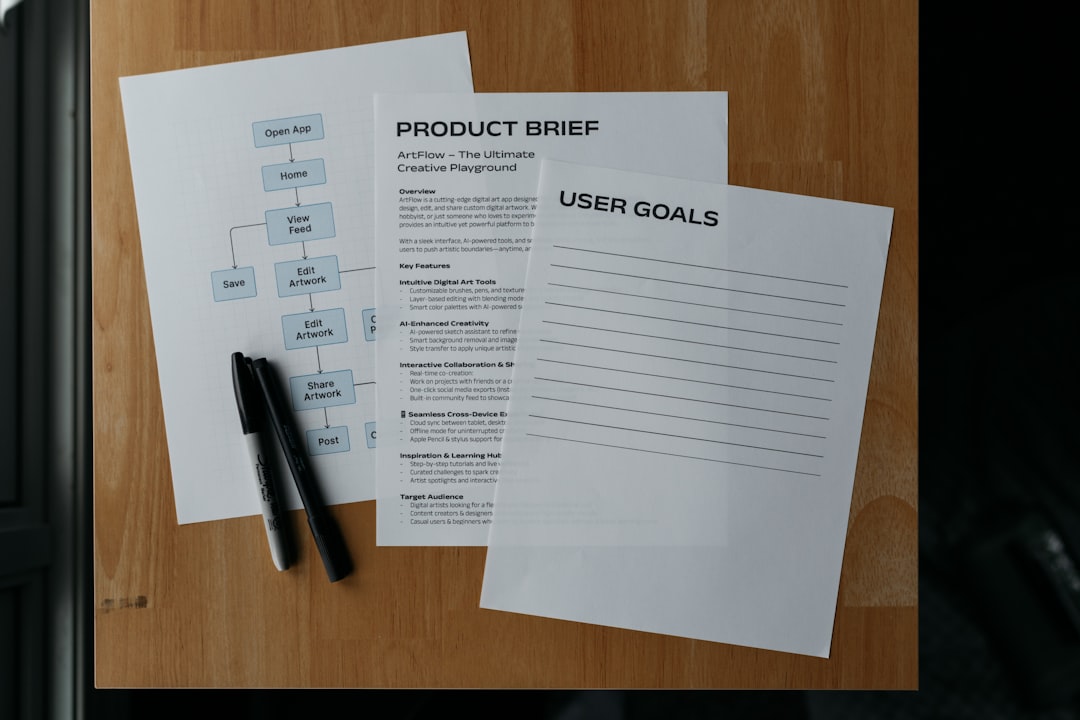
Release notes are a small document that tells users something important: what changed in the software they depend on. Done well, release notes build user trust, reduce support tickets, and signal that the team cares about user experience. Done poorly, they read as a changelog dump that users skip, then complain about when something breaks.
Most product teams treat release notes as the afterthought at the end of a sprint. A designer copies the engineering tickets, reformats them lightly, and ships. This approach produces notes no one reads, which is worse than producing no notes at all. Release notes are a product surface in their own right, and users form impressions of the whole product from their quality.
This guide provides templates and the craft decisions that separate release notes users open from release notes users ignore.
Why Most Release Notes Fail
Three patterns dominate weak release notes.
The ticket dump. The notes list every Jira ticket shipped in the sprint with no editorial layer. Users see thirty lines of bug fixes before any feature worth their attention.
The marketing inflation. The notes describe minor improvements as "transformative enhancements" and "revolutionary new capabilities." Users learn to discount the team's claims, which also discounts the good ones.
The vague enough not to help. The notes describe fixes as "improved performance" and "resolved various issues." Users with specific problems cannot determine whether their issue was addressed.
"Release notes are a trust instrument. Every release note either builds or erodes the trust users have in your product decisions." Ann Handley, Everybody Writes
The Four-Part Release Note Framework
A strong release note set has four parts.
Part 1: Release summary. One or two sentences capturing the headline of the release.
Part 2: Major features and changes. User-facing additions that deserve attention.
Part 3: Fixes and improvements. Bugs resolved, grouped logically.
Part 4: Known issues and deprecations. What is not yet working, what is being removed.
The discipline is prioritization. Not every shipped ticket belongs in the release notes. Editorial judgment is what makes release notes useful.
Copy-Paste Templates
Template 1: Standard Release Notes for a Product Update
Use this for monthly or release-driven product updates in the body of a product page or changelog.
[Product Name] Release [Version]
Released: [Date]

SUMMARY
[One or two sentences capturing the most important changes. Lead with what users gain.]

NEW FEATURES

[Feature Name]
[One to three sentences describing what the feature does and how users access it. Include a link to documentation if more detail is warranted.]

[Feature Name]
[One to three sentences.]

IMPROVEMENTS

- [Specific improvement. Example: Dashboard loads 40 percent faster on data sets over 10,000 rows.]
- [Specific improvement with user-facing impact]
- [Specific improvement with user-facing impact]

FIXES

- [Specific bug fix. Example: Fixed an issue where exporting to CSV dropped the last row of tables larger than 5,000 rows.]
- [Specific bug fix]
- [Specific bug fix]

KNOWN ISSUES

- [Known issue with workaround or expected fix date]

BREAKING CHANGES

- [Any API or behavior change that requires user action, with timeline and migration instructions]

DEPRECATIONS

- [Feature being sunset, with end-of-life date]
Template 2: Email Release Notes for User Communication
Use this for email announcements of major releases to users.
Subject: [Product] update: [Headline feature or change]

Hi [Name],

This month we shipped [one sentence summary of release focus].

WHAT IS NEW

[Feature Name]
[Two sentences on what it does and why users might care. Screenshot or GIF link.]

[Feature Name]
[Two sentences.]

WHAT IS BETTER

- [Improvement with user-visible impact]
- [Improvement with user-visible impact]
- [Improvement with user-visible impact]

WHAT IS FIXED

[Two sentences summarizing the most important fixes. Link to full changelog for detail.]

WHAT IS COMING

[One sentence on the next release focus.]

[Call to action: view full changelog, book a demo, etc.]

Thanks,
[Your Team]
Template 3: Developer-Focused API Release Notes
Use this for API or SDK releases where the audience is developers integrating with your platform.
# [API or SDK Name] v[Version]

Released: [Date]

## Summary

[One paragraph describing the release, noting any breaking changes or major additions.]

## Breaking Changes

### [Change Title]
Before:
[Old code example]
After:
[New code example]
Migration: [Specific migration instructions.]

## New Endpoints / Methods

### [Endpoint or Method Name]

[Description]

Request:
[Example request]
Response:
[Example response]
## Improvements

- [Specific improvement with performance or behavior detail]
- [Specific improvement]

## Fixes

- [Fix with specific issue description]
- [Fix]

## Deprecations

### [Deprecated feature]

End-of-life date: [Date]
Replacement: [What to use instead]
Migration guide: [Link]
Bad Version vs Good Version
Bad:
What's New
We've been working hard to make our product even better! This release includes several exciting improvements and bug fixes to enhance your experience. Here are some of the highlights:
- Performance improvements
- UI enhancements
- Various bug fixes
- Better stability
- Improved user experience
We hope you enjoy these updates. As always, let us know what you think!
Why it fails: No specifics. Adjective-heavy. No numbers. Users cannot determine whether any of their specific issues were fixed. No version number or date. No information about breaking changes.
Good:
Nimbus 4.2.0 Released October 14, 2025
SUMMARY
This release adds team-level analytics, improves CSV export reliability for large datasets, and fixes two reported issues with the OAuth integration.
NEW FEATURES
Team Analytics Dashboard View activity metrics for your entire team from the Analytics tab. Filter by date range, member, and project. Available on Professional and Enterprise plans.
Keyboard Shortcuts Overlay Press ? to view all available keyboard shortcuts in any screen. Searchable and filterable.
IMPROVEMENTS
- CSV export now handles files up to 100,000 rows without truncation (previously capped at 5,000)
- Dashboard load time reduced by 38 percent for workspaces with over 1,000 items
- Notification preferences now save at the workspace level, not just account level
FIXES
- Fixed OAuth token refresh failing when tokens were issued before September 1, 2025
- Fixed drag-and-drop reorder in the Projects list dropping items outside the visible viewport
- Fixed search results showing archived items when the Include Archived toggle was off
KNOWN ISSUES
- Team Analytics does not yet display historical data prior to October 1, 2025. Full historical import planned for 4.3.0.
BREAKING CHANGES
- The /v1/workspaces endpoint now requires a workspace_id query parameter. Previous behavior returned the default workspace; this was a frequent source of multi-workspace bugs. Migration guide: [link]
Why it works: Version and date at top. Concrete summary. Named features with clear access instructions. Specific numbers on improvements. Named specific bug fixes users can search for. Known issues listed transparently. Breaking change documented with migration guide.
Language Patterns That Work
| Marketing Phrasing | User-Focused Phrasing | Why |
|---|---|---|
| Enhanced performance | Dashboard loads 38 percent faster on large workspaces | Specific |
| Various bug fixes | Fixed [specific bug], fixed [specific bug] | Searchable |
| Improved user experience | Keyboard shortcuts now available from any screen | Concrete |
| Better stability | Fixed memory leak affecting long sessions on Chrome | Technical accuracy |
| Streamlined workflow | Removed three steps from the checkout flow | Quantified |
| New and improved | Added [specific feature]; improved [specific behavior] | Distinct |
| Redesigned interface | Dashboard now uses left-rail navigation | Named change |
| Transformative update | [Specific change] replaces [previous behavior] | Clear substitution |
"In writing about software, specificity is kindness. A user with a specific bug can find whether it was fixed only if you named it." Stephen Pinker, The Sense of Style
Release Note Categories Explained
Every item in release notes belongs in one of these categories.
| Category | What Belongs | What Does Not |
|---|---|---|
| New Features | User-facing additions with new capability | Minor UI tweaks |
| Improvements | Measurable enhancement to existing functionality | Internal refactoring |
| Fixes | Bug resolutions with user-visible behavior change | Test-only fixes |
| Security | Security patches needing user awareness | Routine security maintenance |
| Breaking Changes | API or behavior changes requiring user action | Backward-compatible changes |
| Deprecations | Features being sunset | Renamed items still functional |
| Known Issues | Reported bugs not yet fixed | Internal tracking items |
| Coming Soon | Announced near-term features | Long-term vision |
Users benefit when items are placed in the correct category. A "security" notice in fixes gets missed. A minor tweak in "new features" inflates the section.
Versioning Conventions
Clear version numbers make release notes scannable and searchable.
| Scheme | Pattern | When to Use |
|---|---|---|
| Semantic versioning | MAJOR.MINOR.PATCH | APIs, SDKs, developer tools |
| Date versioning | YYYY.MM.DD or YYYY.MM | SaaS products with continuous release |
| Named releases | Named themes plus number | Consumer products |
| Build numbers | Monotonically increasing | Internal or mobile builds |
| Feature flags only | No formal version | Continuous deployment without user awareness |
Choose one scheme and stick to it. Switching mid-product confuses users and support teams.
Audience-Specific Framing
Different users read release notes for different reasons.
| Audience | Primary Interest | Section to Emphasize |
|---|---|---|
| End users | What can I do now that I could not before | New Features, Improvements |
| Administrators | What do I need to configure or approve | Breaking Changes, Deprecations |
| Developers | What API behaviors changed | Breaking Changes, New Endpoints |
| Security teams | Any vulnerabilities patched | Security |
| Support teams | Known issues and workarounds | Known Issues, Fixes |
| Product managers | Roadmap signals | Coming Soon |
| Sales teams | New sellable features | New Features |
| Executives | High-level product trajectory | Summary |
A single release note set can address all these audiences if organized clearly. Very different audiences sometimes warrant separate notes (user-facing vs. developer-facing) in different formats.
Tone Calibration
| Product Type | Preferred Tone |
|---|---|
| Consumer app | Warm, casual, screenshots |
| B2B SaaS | Professional, specific, useful |
| Developer tool | Technical, precise, code examples |
| Enterprise software | Formal, change-management aware |
| Open source | Contributor-acknowledging, specific |
| Game | Fun, themed, spoiler-aware |
| Financial software | Formal, compliance-noted |
| Healthcare software | Formal, regulation-noted |
The tone of the release notes should match the tone of the product. A playful tone in enterprise compliance software undermines trust. A stiff tone in a consumer app reads as corporate.
"Tone is a product decision. The release note is part of the product." Roy Peter Clark, Writing Tools
Screenshots and Visuals
Visuals improve release notes when they show something that is easier to see than describe.
Use a screenshot or GIF when:
- Introducing a new UI feature users will look for
- Demonstrating a workflow change with visual steps
- Showing before/after of a visual redesign
- Illustrating a complex keyboard shortcut or gesture
Skip visuals when:
- The change is mostly text or numeric
- The screenshot would be out of date quickly
- The description is clearer than a visual would be
- The visual would exceed the email client's rendering capacity
The document conversion and screenshot tools at File Converter Free can help teams produce consistent release note visuals, and the QR code generator at QR Bar Code can be useful for linking from printed release notes or product documentation to updated digital versions.
Distribution and Discovery
Release notes are only useful if users find them.
Effective distribution:
- In-app notification on first launch after release
- Dedicated changelog or release notes page
- Email to active users for major releases
- RSS feed for the changelog
- Slack or API integration for developer tools
- Social media summary for consumer products
- Blog post for major releases
Ineffective distribution:
- PDF attachments that users must download
- Hidden in help documentation
- Only on a password-protected customer portal
- Via account manager only
- Never published, only linked internally
The productivity research at When Notes Fly covers how product teams manage release communication as part of a broader user communication cadence, and the cognitive research at What's Your IQ explores why users process structured change communication faster than narrative change communication.
Breaking Changes Specifically
Breaking changes deserve their own discipline. Users trust teams that warn clearly and discount teams that spring changes.
Breaking change communication should include:
- Clear "BREAKING CHANGE" label
- Current behavior
- New behavior
- Specific migration steps
- Timeline (immediate, date-scheduled)
- Rationale (why the change is happening)
BREAKING CHANGE: Authentication token format

Current behavior: Tokens issued as opaque strings via /v1/auth/token

New behavior: Tokens issued as JWT-encoded strings with standard claims

Migration: Update token parsing to decode JWT structure. Claim names are documented at [link]. Old tokens continue to work until [date].

Timeline: Effective immediately. Old tokens deprecated [date].

Why: Enables client-side expiration awareness and scope-based authorization, replacing the previous opaque system.
This structure gives users everything they need to plan a migration.
Common Mistakes to Avoid
Do not dump the full Jira ticket list. Editorial discipline is the entire value.
Do not inflate minor changes with marketing language. Users discount inflated claims.
Do not hide breaking changes inside general improvements.
Do not forget the version number and date.
Do not use internal jargon. Rename internal feature codenames to user-facing names.
Do not publish without a final proofread. Release notes are often the most-shared product artifact.
Do not ship notes after the release. They should ship at or before.
Do not delete or rewrite old notes. Users and search engines reference them.
Do not ignore the known issues section. Transparent acknowledgment builds more trust than silence.
Feedback and Iteration
Release notes themselves should iterate. Track which items generate support tickets, which generate positive user feedback, and which get mentioned in user research. Use this data to refine the note format and the editorial choices.
Some teams A/B test release note formats with different user cohorts. Others survey users about note clarity quarterly. Release notes are a product surface, and like any other surface, they benefit from measurement.
"The writing that people skip is the writing you can improve. The writing that users reference weeks later is the writing you should study." Josh Bernoff, Writing Without Bullshit
The research on user experience at What's Your IQ and the certification frameworks at Pass4Sure both cover how technical documentation quality affects user trust and adoption.
Closing Thoughts on the Craft
Great release notes take about 30 to 60 minutes per release to write well. Most teams save those 30 to 60 minutes and spend many hours on support tickets, user confusion, and rebuilding trust that was eroded by poor communication. The ratio makes the investment easy to justify.
For related communication guidance, see our articles on how to write a status report for busy executives and how to write a company announcement email.
References
Handley, A. (2014). Everybody Writes. Wiley. https://annhandley.com/everybodywrites/
Pinker, S. (2014). The Sense of Style. Viking. https://stevenpinker.com/publications/sense-style
Clark, R. P. (2008). Writing Tools: 55 Essential Strategies for Every Writer. Little, Brown. https://www.poynter.org/
Bernoff, J. (2016). Writing Without Bullshit. Harper Business. https://withoutbullshit.com/book
Harvard Business Review. Communicating Product Changes to Users. https://hbr.org/
Purdue Online Writing Lab. Technical Writing. https://owl.purdue.edu/owl/subject_specific_writing/professional_technical_writing/
Chicago Manual of Style. Technical Documentation. https://www.chicagomanualofstyle.org/
Grammarly Blog. How to Write Release Notes. https://www.grammarly.com/blog/business-writing/
Frequently Asked Questions
How do you write release notes for a software product?
Use a four-part structure: release summary capturing the headline in one or two sentences, major features and changes with user-facing impact, fixes and improvements grouped logically, and known issues and deprecations. Include version number and release date at the top. Use specific numbers rather than vague phrases. Write Dashboard loads 38 percent faster rather than performance improvements. Name specific bugs so users can search for them. Acknowledge known issues transparently. The craft is in editorial judgment about what belongs in the notes, not in listing every shipped ticket.
What should release notes include?
Version number and release date at the top. A one- or two-sentence summary of the release. New features with clear access instructions. Improvements with specific numbers showing the impact. Bug fixes with enough detail that users can identify whether their reported issue was addressed. Breaking changes with migration instructions. Deprecations with end-of-life dates. Known issues transparently listed. Security notices when applicable. The goal is that a user with a specific bug or question can find the answer quickly. Vague notes force users to guess, which erodes trust in the team.
How long should release notes be?
Length varies by release scope. Minor updates run 100 to 300 words. Monthly product releases run 300 to 800 words. Major releases run 600 to 1,500 words. API releases with breaking changes may reach 2,000 words including migration guides. The length should match the scope. Padding short releases with marketing language undermines credibility. Summarizing major releases in 200 words leaves users under-informed. Write what the release requires, organized so readers can scan to the sections that matter to them.
Should you list every bug fix in release notes?
No. Editorial discipline is the primary value release notes provide. Internal refactoring, test-only fixes, tooling changes, and anything without user-visible behavior should be omitted from release notes. Include bugs that users reported, bugs that had workarounds documented, bugs affecting multiple users, and bugs tied to specific error messages users might search for. Users benefit from a focused list of meaningful fixes more than a complete list of all tickets. A changelog intended for engineers can be published separately or linked from the release notes for those who want full detail.
How do you communicate breaking changes in release notes?
Use a clear BREAKING CHANGE label that stands out visually. State the current behavior, the new behavior, and the specific migration steps. Include a timeline for when old behavior will no longer work. Explain why the change is happening, because users accept breaking changes better when they understand the rationale. Provide code examples for API changes. Link to a full migration guide if the change is complex. Users trust teams that warn clearly and discount teams that spring changes. A well-communicated breaking change builds more trust than no change at all.
Where should release notes be published?
Effective distribution includes a dedicated changelog or release notes page on the product website, in-app notifications on first launch after a release, email announcements to active users for major releases, RSS feeds for those tracking changes, Slack or API integration for developer tools, blog posts for major releases, and social media summaries for consumer products. Avoid publishing notes only in PDF attachments, hiding them in help documentation, putting them behind password-protected portals, or distributing them only via account managers. Users and search engines should both be able to find and reference release notes easily.
What tone should release notes use?
Tone should match the product. Consumer apps use warm casual tone with screenshots. B2B SaaS uses professional, specific, useful language. Developer tools use technical precise language with code examples. Enterprise software uses formal change-management-aware tone. Open source acknowledges contributors. Games can be fun and themed. Financial and healthcare software use formal tone with compliance notes. The release note is part of the product, and mismatched tone undermines user trust. A playful tone in compliance software or a stiff tone in a consumer app both damage the impression the product creates.



![The Elements of Style [Illustrated]](https://images-na.ssl-images-amazon.com/images/P/0143112724.01._SL200_.jpg)